Summary: When an agent goes live, it makes decisions you never explicitly programmed—and often never directly observe. Teams reach for an agent dashboard to make that behavior visible. Visibility matters. Stopping there is a mistake. A dashboard is a pane of glass: it lets you inspect what already happened. Production agents demand a durable agent data plane—a queryable session log, structural lineage, tools as @pxt.query, and data that stays on your infrastructure—so you can act on what you see, not just watch it go wrong.
The Dashboard Trap#
The moment an agent is in production, it chooses tools, works through problems, hands work to other agents, and takes actions on behalf of users. When something breaks, every team eventually asks the same question: Why did it do that?
That is why so many teams buy or build an agent dashboard. The goal is the same: make agent behavior visible.
A dashboard can show you a sequence of events. It usually cannot tell you why a decision made sense to the model in a form you can query, fork, or replay. It rarely lets another worker resume from the same durable state. And the prompts, tool results, and user data the agent touched may already have been shipped wherever the tracing vendor decided to send them.
Observability is the foundation, not the finish line. On its own, watching an agent go wrong just makes you a better-informed bystander.
Agent Dashboard vs Agent Data Plane#
| Capability | Agent dashboard | Agent data plane |
|---|---|---|
| Shows what already happened | Yes | Yes—as queryable rows |
| Reasoning, tools, and handoffs as first-class data | Partial / opaque traces | Yes—session log columns |
| Human approvals and pauses as durable events | UI-only, if at all | Yes—rows the orchestrator can resume from |
| Replay, fork, migrate model providers | Rare | Structural |
| Lineage and evals as columns | Bolt-on | Built-in |
| Data stays on your infrastructure | Often no | Yes |
In agent marketing, “control plane” sometimes means a hosted UI that pauses runs and governs access. Useful—but orthogonal. The layer that makes those controls reliable is the data plane: the durable history your loop reads and writes. Pixeltable owns that layer. It does not replace your orchestrator.
You Can’t Operate an Agent You Can’t Query#
An agent without a queryable history behaves like a black box that surprises you every so often. Each surprise raises a question a screenshot of a timeline cannot answer:
- Why did it reach for that tool instead of the obvious one?
- What does it still remember about this user from the last few sessions?
- Where in the handoff from agent A to agent B did something quietly break?
- Why does a run that used to feel instant now crawl for nine seconds?
You cannot operate a system whose decisions you cannot inspect as data, and you cannot trust one. Watching agents “think” only scales when the work behind the answer—tool calls, memory reads, handoffs, approvals—lands as ordered, queryable events, not as disposable UI exhaust.
Watching Only Counts If the State Is Durable#
Seeing a problem you cannot act on is a more informed kind of helplessness. The reason to watch is so you can act. Most agent UIs will replay what happened; fewer give you a system of record another process can continue from.
On an agent data plane:
- A human approval is an event in the log—if the worker dies waiting, another worker reconstructs and continues.
- Tool results and errors are rows you can filter with
pxt errorsor a dashboard errors view—not buried in a vendor’s span store. - Evals and derived metrics become computed columns over the same history.
That is the architecture behind agents as data: the session log is the agent; the runtime is an interpreter.
You Should Not Have to Ship Your Data Away to See Your Agents#
Almost every route to pretty agent timelines asks you to send traces, prompts, and user payloads to a third-party observability vendor—and then trust that vendor with some of the most sensitive artifacts you will ever store.
Real-time visibility and data sovereignty are not mutually exclusive. Any stack that tells you otherwise is describing its own limitations. With Pixeltable, the catalog lives under PIXELTABLE_HOME on infrastructure you control (see storage architecture and Docker volumes). The multimodal data plane thesis is the same story at company scale: who owns the multimodal data plane?
What Pixeltable Is: the Agent Data Plane#
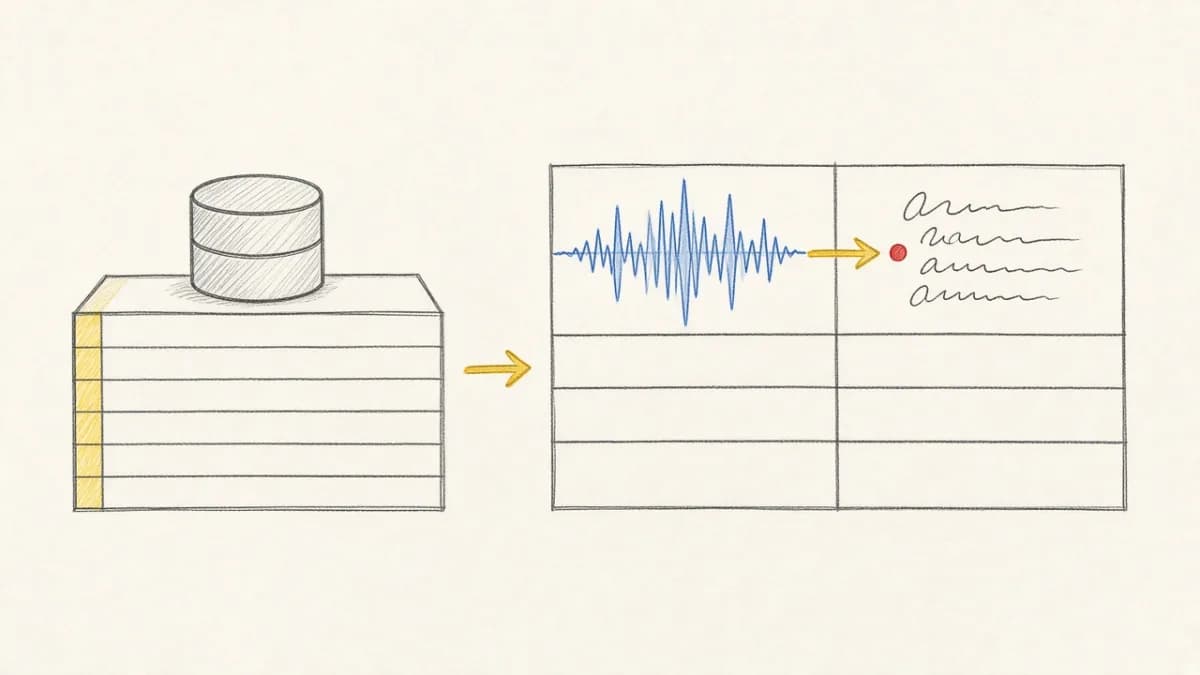
Pixeltable does not run your agent loop. The loop—call model, execute tools, decide whether to continue—lives in Pixelagent, LangGraph, or your own code. Pixeltable holds the system of record: tables for session definitions and append-only memory, incremental compute, lineage, and serving. That is the agent harness and the production gap described in the invisible 80%.
Minimal session log#
History as a reusable tool#
Reuse that pattern for retrieval tools with @pxt.query, or start from the Pixelagent blueprint.
The local dashboard is an inspector—on purpose#
Pixeltable’s local dashboard (pxt dashboard) is a read-only UI at localhost:22089: browse tables, preview media, filter errors, explore lineage. Mutations stay in the Python SDK and CLI. That separation is the point—the product is the data plane; the UI is a pane of glass over it, not a substitute for it.
FAQ#
Do I still need an agent dashboard?#
A visual timeline helps humans. Treat it as a projection over the session log—not as the source of truth. If the only place history lives is the UI vendor, you do not have a data plane.
Does Pixeltable pause runs mid-flight?#
No. Your orchestrator owns pause / human-in-the-loop. Pixeltable records approvals and outcomes as durable events so another worker can resume safely.
How is this different from agent tracing products?#
Tracing products optimize for spans and debugging UX. Pixeltable stores multimodal agent state as tables you own—memory, tools, evals, media—with incremental compute and lineage. Use both if you want; do not confuse traces with the system of record.
Isn’t this just another “agent control plane”?#
Enterprise “control planes” often mean cataloging and policing every agent org-wide. This post means the operational substrate for agents you build: the session log and multimodal tables under your roof. Different problem, same intuition—glass is not enough.
Get Started#
If you have been shipping agents while promising yourself you would add proper state and observability later—this is the later.
- Read the deep dive: Agents as Data: the session log as system of record
- Sibling: Where does the agent live?
- Cookbook: agent memory pattern
- Ship an app: Pixeltable Starter Kit · GitHub
- Install:
pip install pixeltable· docs.pixeltable.com
See Also#
- Where does the agent live?
- Agents as data / session log
- Pixeltable as the agent harness
- Invisible infrastructure for production agents
- Data infrastructure harness for agents
- Who owns the multimodal data plane
- Local dashboard (read-only inspector)
- Operate the catalog from the terminal
- Reusable
@pxt.querypatterns