A coding agent can build the first version of a multimodal AI app in an afternoon. What takes your time afterward is keeping the app working on real data while you keep changing it: a new model every month, a new feature every week.
That app usually sits on a stack you assemble yourself:
- Postgres for the app's rows
- object storage for the media files
- a vector database like Pinecone for search
- job scripts or Airflow to run the model calls
- an API server for the endpoints
Or it sits on an app backend like Supabase or Convex, with the AI processing built somewhere else.
With this release, Pixeltable is the backend your agent builds with. Your agent writes the storage, the AI steps, and search as Python classes, and declares the API's routes against them in the same file. The Pixeltable CLI makes the running app match that file: it shows the plan for each change, applies it, and runs the same app on your laptop or on Pixeltable Cloud.
What's new:
- Start from a working app, and write the backend as Python classes.
pxt initmakes the project, andpxt service examplewrites an app file to start from. Tables, AI steps, and search indexes are classes, routes are declared against them, andpxt schema updateandpxt service updatebuild and serve them. - Change your backend the way you change code. Your agent edits the file,
diffshows the plan, andupdateapplies it to your tables (pxt schema), your routes (pxt service), and your hosted database (pxt db), with nothing destructive applied without your OK. - Run your routes with the same CLI.
pxt servicechecks, diffs, updates, and prunes the services your file defines, and restarts only the ones that changed. It replacespxt serve. - Run the same app on your laptop and in production. On Pixeltable Cloud (Limited Beta), the same commands take a
pxt://target. - Install the plugin in Claude, Cursor, and ChatGPT. The skill teaches your agent to write the app and apply it with the CLI. In Claude Code and Cursor it also adds a schema designer, a debugger, and commands to start a project and add a model.
- Start from the same definitions as your agent. The Multimodal AI Glossary defines one term per entry, for you and your coding agent.
Upgrade with:
[serve] adds FastAPI and uvicorn, which pxt service needs. This cycle is 13 releases and 168 PRs. A few changes may need you to update existing code; they're listed at the end. The full changelog and the compare view have everything.
Write the backend as Python classes#
In an assembled stack, each piece is a service you stand up and connect before the app does anything. In this release, two commands give you and your agent a working app to start from:
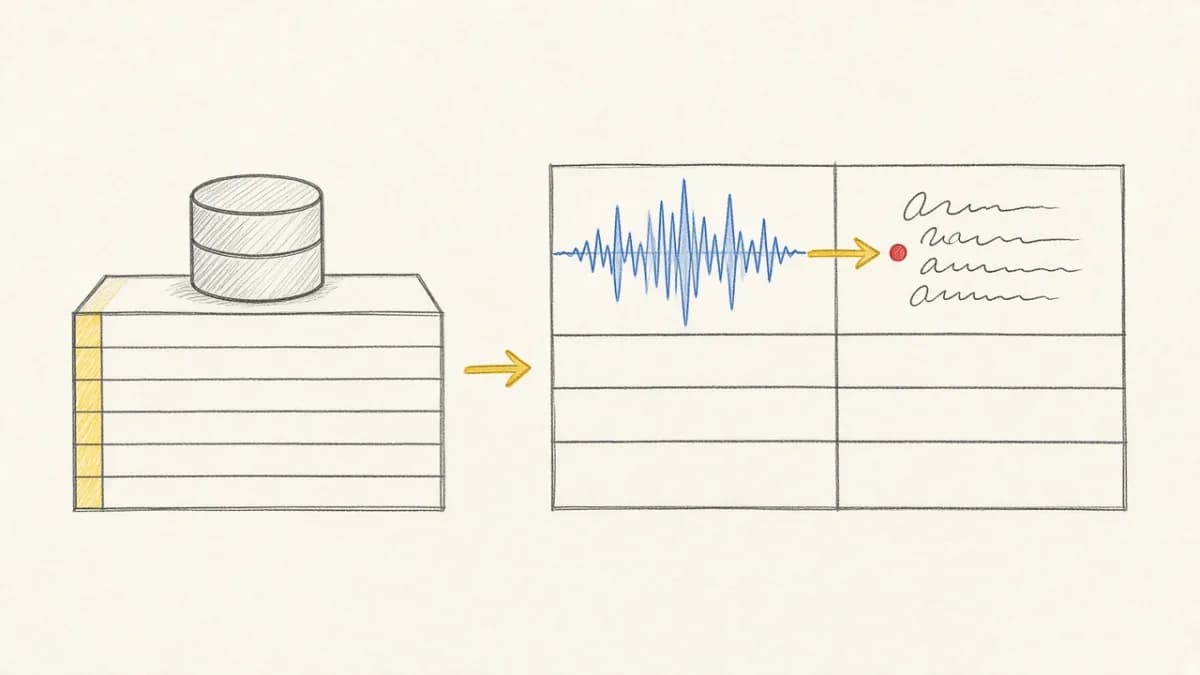
The example has a table with a generated key and two computed columns, and routes that insert, update, and compute rows. From there, the backend is Python classes in your app. A class says what's stored and which AI steps run on it. A step can call a hosted model API or a local model, call any other API, transform media, or run your own function:
In a project made with pxt init, one command creates the tables from the file. (The Whisper step needs pip install openai-whisper.)
Once the file declares routes, shown below, pxt service update app.py my_app serves them.
Search indexes go on the class too, in __indexes__. As before, each step runs on every video your app inserts, a step you add fills in for the videos already stored, and indexes stay current as videos are inserted, updated, and deleted. As of v0.7.12, whisper.transcribe() returns a typed result, so an index on a new transcript column's text needs no cast.
Your agent works in one app instead of wiring services together.
Sources: Quickstart · #1434 · #1466 · #1518 · #1693
Change your backend the way you change code#
Your app file is the source of truth, and the CLI makes the running app match it. Your agent edits the file, diff shows the plan, and update applies it. The first deploy and every change after it use the same commands:
The same loop covers each layer of the backend, with the same verbs and exit codes:
pxt schemafor your tables, computed columns, and indexespxt servicefor the routes your frontend callspxt dbfor a hosted database's code, environment, and size
What you and your agent can rely on, new in this cycle:
updateis safe to repeat: running it again with nothing to do changes nothing.- A schema plan with anything destructive applies nothing without
--allow-destructive, so an update drops no data without your OK. Tables the file no longer defines go only through a separate, confirmedpxt schema prune. - Exit codes tell an agent where it stands without parsing text:
0in agreement,2changes pending,3refused,1error.--jsonreturns the plan, and--json-schemadescribes its shape. - A CI step can run
pxt schema diffagainst production and fail on exit2when production has drifted from the committed file. - To promote from dev to prod, apply the same file to the production target.
pxt recompute --errors-onlyreruns only the rows whose step failed, and everything built on them.
They work with what was already there. With on_error='ignore', a batch keeps going when model calls fail and records each failure on its row, and on a table with a primary key, pxt errors lists those rows. pxt revert undoes a change one table at a time. In a shell with no terminal, a command that needs confirmation refuses instead of waiting on a prompt.
pxt schema update can also change the expression behind a computed column, as long as the column's type stays the same. It leaves the stored values as they are and prints the pxt recompute command to run. To try a new model, add it as a new column instead, so no column mixes results from two models.
Sources: CLI reference · #1466 · #1479 · #1491 · #1542 · #1568 · #1589 · #1600
Run your routes with the same CLI#
Your frontend, or another agent, sends media in and needs results back. Routes now take your table classes, so the API is declared in the same file as the tables it serves. As before, an insert route stores an upload, runs your AI steps on it, and returns the results, and a compute route runs the steps and stores nothing:
What's new is how the routes run. pxt service replaces pxt serve and its [[service]] TOML config. pxt service diff shows what a change will do to the routes, and pxt service update starts the services the file defines and restarts only the ones that changed. A restarted local service keeps its port, so callers keep their address.
Sources: HTTP serving · #1510 · #1542 · #1579 · #1586 · #1694
Run the same app on your laptop and in production#
Pixeltable runs locally with nothing else to install, because the database is embedded. Pixeltable Cloud, new in Limited Beta, runs the same app on a hosted database with the same schema and service commands. Before pxt db diff, add the hosted database to the pixeltable.toml that pxt init wrote. If the project already has a pyproject.toml, pxt init writes there instead, and the hosted entry is [[tool.pixeltable.database]]. pixeltable.toml wins when both files exist. Wait for pxt db status to show it AVAILABLE; the Cloud guide shows the entry.
pxt db diff brings the same check to the hosted database: it shows what an update will change in the project files, the image, and the database's size, and exits with code 2 when something is pending. pxt login works over SSH, and picks your organization when you belong to only one. pxt secret stores API keys for the whole organization or one database, and pxt secret list marks the database secrets that override an organization's. Local files your app inserts upload to the database's home bucket. You can start free on the Community plan.
Your coding agent can also reach your hosted databases through Pixeltable Cloud MCP, a hosted MCP server at https://www.pixeltable.com/mcp/cloud. After a browser sign-in, it lists your databases and services, reads schemas, up to 25 rows at a time, and recent logs, and can start and stop databases, restart services, and set secrets. Stopping, restarting, and setting a secret return a preview first and run only when the agent confirms. It can't delete anything, run arbitrary queries, or call your services, and ?read_only=true limits a connection to the read tools.
The prototype you tested is the app you deploy.
Sources: Deploy to Pixeltable Cloud · CLI reference · #1493 · #1544 · #1545 · #1568 · #1588 · #1604 · #1609 · #1610 · #1657 · #1684 · #1695
Install the plugin in Claude, Cursor, and ChatGPT#
The Pixeltable skill teaches your coding agent to write the app in this post and apply it with the CLI. The plugin packages that skill for Claude, Cursor, and ChatGPT.
On Claude Code and Cursor, the full plugin adds what the agent needs around the skill:
- A pipeline architect that designs the schema: tables, views, computed columns, and indexes.
- A debugger that finds why a step errors or returns empty results.
- Two commands: one starts a project, and one adds a model provider as a computed column.
- On Claude Code, a check that flags deprecated APIs in every Python file your agent writes or edits.
Your agent then writes the same app file the rest of this post describes.
Sources: pixeltable-skill · AI coding skills guide
Start from the same definitions as your agent#
When you evaluate a stack, on your own or with a coding agent, a term like "agent memory," "multimodal database," or "view" can mean different things to each of you, and sorting that out costs time and turns. The Multimodal AI Glossary defines one term per entry in a sentence or two, across multimodal data, retrieval, video, documents, audio, vision, agents, storage, versioning, serving, cost, and evaluation. Point your agent at it, and you both start from the same definitions.
Also in August and September#
Improvements#
- Table, column, and database names are now case-insensitive.
- The CLI remembers a working directory per terminal session (
pxt cd/pxt pwd). --json-schemaprints the JSON schema of thediff,list, andstatusoutput, so an agent knows its shape up front.ConfigVarlets a table model read a value that differs per environment, e.g., a media destination.pxt service updatekeeps a restarted service on the port callers already use.pxt service checkandupdatesee routes you add withapp.include_router(...)on FastAPI 0.137.2 and newer.- The dashboard shows local and hosted catalogs in one window, with lineage and history following the catalog you select.
- Pixeltable works with pgvector 0.5.0.
- Secret names starting with
PIXELTABLE_are reserved. - Hosted services' OpenAPI schemas declare the API key header, type file responses as binary, and include job polling, for generating typed TypeScript clients.
- Each database in
pixeltable.tomlcan set its own media destinations. pxt db deleteasks for confirmation, or needs-f.- The CLI stops right away on an invalid TOML config.
pxt loginpicks your organization when you belong to only one.- An app file that fails to load names the exception type, e.g.,
error loading app.py: AssertionError. - Run inside a project,
pxt service stoplooks only in that project, and stops with an error on an ambiguous name. pxt secret listshows each secret's scope.- On Pixeltable Cloud, inserts bundle small media, array, and binary files into uploads of about 100 MB.
- A missing API key gets an error message written for the CLI.
Fixes#
update_all()andpxt schema updateresolve@queryreferences in your models.- SAM 3 segmentation returns masks shaped to the input image even when it finds nothing.
- A transaction retries when the PostgreSQL server terminates its connection as the transaction starts.
document_splittercloses PDFs after it reads them.insert()andcreate_table(source=...)work with a query that includes a join.pxt.Arrayslices are now typed correctly, including dimension count, scalar results, and null values.- An insert with
on_error='ignore'records a failed media save instead of raising an error. - Routes serve a model whose computed column calls a
@pxt.query. - Aggregate queries handle variables correctly.
Migration and breaking changes#
- Schema types are non-nullable by default. A bare type specifier is now non-nullable, and nullability is explicit.
pxt.Intmeans a required column; writepxt.Int | Nonefor one that accepts nulls. Schemas that relied on bare types being nullable need updating:python pxt.Requiredis deprecated. It marked a column that rejects nulls, as inpxt.Required[pxt.String]. A bare type does that now, so writepxt.String. Existing uses still work and emit a warning until the wrapper is removed.- Python 3.10 is no longer supported. The minimum runtime is now Python 3.11. Move your environment to 3.11 or newer before you update Pixeltable.
- B-tree indexes are no longer created automatically. Creating a table or column used to add a B-tree index for you. Pixeltable no longer does; add one with
Table.add_btree_index()where you need it. Tables created before this change keep their default indexes. Thecreate_default_idxsargument is nowhas_default_idxs, and it defaults toFalse; passhas_default_idxs=Truefor the old behavior. pxt serveandpxt deployare gone. They and their[[service]]and[[deployment]]TOML config are replaced bypxt service updatewith an app file, and bypxt db updatefor hosted databases.poetry.lockis no longer a lockfilepxt db updateinstalls. A project with only that file builds an image that contains Pixeltable and nothing else. Declare dependencies inuv.lockorrequirements.txt.- Names are case-insensitive and ASCII-only. Table, column, and database names are folded to lowercase. The upgrade stops if two existing names differ only by case, if a name is not ASCII, or if a column folds onto a reserved name or a Python keyword (
Countbecomescount). Imports fail on column names that collide after lowercasing. get_metadata()keys are renamed.indicesis nowindexes, andis_versionedis nowis_data_versioned.- Table models list their indexes in
__indexes__. If you defined indexes on aTableModelwith the old syntax, move them to__indexes__. - The Reve provider is gone. The built-in Reve integration was removed ahead of Reve's API sunset. Move any Reve calls to another provider.
sentence_transformers5.4 or newer is required. Upgrade the package if you pinned an older version.- The OpenAI integration needs the OpenAI SDK 3 or newer. Upgrade the
openaipackage if you pinned an older version.
Get started#
If you're new, start in the docs. The AI coding skills guide lists every way to install the plugin.
Questions and projects are welcome in Discord, and you can file issues, open PRs, or star the repo on GitHub.
Thank you to everyone who wrote code, reviewed it, tested it, documented it, and got v0.7.0 through v0.7.12 out the door.
Happy app building!