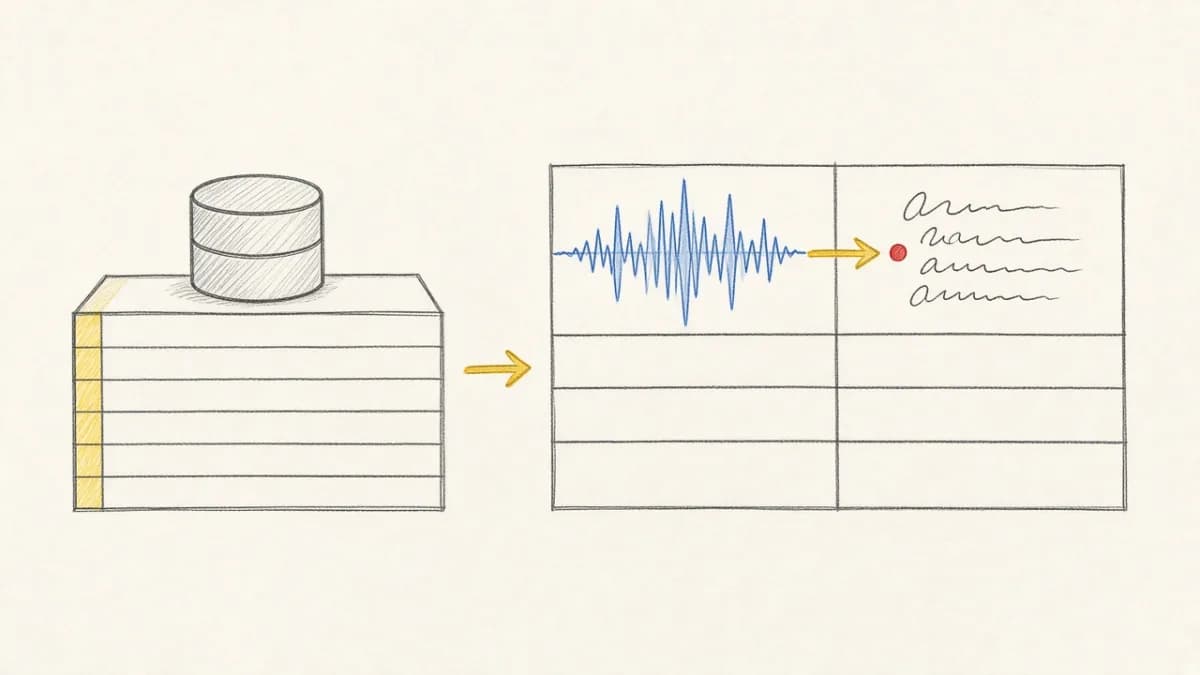
Summary: Pixeltable puts four systems in one Python file. Tables hold images, video, audio, and documents. Computed columns are the orchestration. An embedding index is a declaration on the table, and an HTTP route is a declaration over its columns. pxt schema update creates the tables, pxt service update serves the routes, and the same app.py runs on Pixeltable Cloud after pxt db update. This post follows one file through three stages: the file, the first deploy, and every change after it.
The stack the file replaces#
A multimodal feature usually takes four products: an object store for the bytes, a vector database for the embeddings, an orchestrator to run the models, and a FastAPI service to put a URL on the result. Keeping them in agreement is a second job. The orchestrator re-runs rows that did not change. Nobody deletes the embedding when its source file goes. A handler copies a column into JSON by hand.
Pixeltable keeps all four in the table. The longer argument is The Unified Multimodal Backend Agents Build With. This post is the path.

Stage 1: one file#
Python 3.11 or later. pxt init marks the project root and writes pixeltable.toml. pxt service example writes this file, shown here without its docstring and comments:
Three kinds of line do the work.
- An annotation,
title: pxt.String, is a column you insert. - An assignment,
summary = excerpt(title), is a computed column. It runs on every insert and update.excerptis a@pxt.udfin the same file, and no loop calls it. Theidcolumn is auuid7()generated on insert. - A route is HTTP over those columns.
POST /docsinserts a row and returns itsidand computed columns.POST /docs/updatetakes thatidand a newtitle.POST /titlescomputes without storing a row.
The example uses strings so the first response is easy to read. The same class takes pxt.Image, pxt.Video, pxt.Audio, and pxt.Document columns. An iterator turns one row into many, a document into chunks or a video into frames, and an embedding index is a list on the class. This is the retrieval file from the multimodal backend docs:
Inserting a PDF adds its chunks, their embeddings, and the index entries. There is no vector database to keep in sync and no chunking framework to call.
The file is the unit an agent edits#
The whole backend is one file, so a coding agent holds all of it in context and you review one diff. The Pixeltable skill teaches the agent to write a TableModel and computed columns rather than per-row model loops and a separate vector database:
pxt skills install copies the same skill into the repository you start the agent in.
Two switches: tables, then HTTP#
my_app is the catalog directory the tables go in. pxt schema update creates and migrates the tables. It starts no HTTP. pxt service update starts the routes. It creates no tables. -f skips the confirmation prompt. pxt service list prints each route with its inputs and outputs:
The port is assigned, so read it back rather than hardcoding it:
The insert computed both columns before it answered. Calling a model works the same way: the column is an assignment to a provider function, and the route returns its output.
Stage 2: the same file on Pixeltable Cloud#
Pixeltable Cloud is in Limited Beta. With no account, pxt new creates a trial organization and a database named main, and prints the pxt:// URI, the pixeltable.toml entry, and the commands below with your names filled in. Claim the trial at the URL it prints, or it is deleted, normally 48 hours later. The pxt commands need no API key. Calling a service over HTTP does, and a trial gets one only after the claim (see below).
With an account, sign in and list your organizations. Create one only when pxt org list prints No orgs.: a person can own one free organization, and pxt org create provisions its main database.
Add a hosted entry to pixeltable.toml, beside the unnamed local entry pxt init wrote. Replace org with your organization name:
A new database accepts pxt db update only after pxt db status pxt://org:main shows AVAILABLE. Then run three commands, in this order, from the project directory, and a fourth that prints the URL. pxt db update and pxt service update ask for confirmation. With no terminal to answer, as in an agent or CI, they refuse and exit 3 unless you pass -f. pxt schema update asks only before a destructive change.
pxt db updateuploads the project and builds the image. The first one takes several minutes and returns when the database is ready. It inserts no rows and starts no routes.pxt schema updatecreates the hosted tables.pxt service updatestarts the routes.pxt service listprints the URL, which looks likehttps://{org}-{db}.svc.pxt.run/<service>. Copy it from the command.
The local and hosted tables now come from the same file. A Cloud table path is the URI plus the table name:
Media goes to the home bucket#
Every Cloud database has a private home bucket at pxt://org:main/buckets/home, and hosted tables write media there with no destination= and no bucket setup. Inserting a local file path on a Cloud table uploads the file. A service route returns a media column as a signed URL that lasts an hour. An app backend signs at most 100 files per call with POST https://storage.pixeltable.com/org/main/sign, for 1 second to 7 days, 3,600 seconds when expires_in is omitted.
Two credentials, kept apart#
Provider keys, such as OPENAI_API_KEY, are secrets that the database and its services read at startup. The key your backend sends in X-api-key is a Pixeltable API key. Keep it on your server. The browser calls your server.
A key created without --grant acts as you. A trial's services answer only the trial's own key, which pxt new never prints: claim the trial, then run pxt key create.
Organization and database scopes, sizing, and keys limited to one service are in Configure Pixeltable Cloud.
Stage 3: day 2, three layers#
A hosted database runs three things from your project, and each one moves on its own.
| Layer | What it holds | A change costs |
|---|---|---|
| Image | Dependencies from uv.lock or requirements.txt, the Python version, system packages | A rebuild, the slow step |
| Project files | app.py, its UDFs and routes, and whatever else the entry selects | An upload, no rebuild |
| Settings | The hosted entry's vars and db_* settings, and sections such as [openai] | A restart, no upload or rebuild |
All three go through pxt db update, which works out which one changed. Editing a UDF costs an upload, not a container build. Without uv.lock or requirements.txt, the image has Pixeltable only. That is enough for the generated file. List anything else app.py imports in one of them. In an agent or CI, pass -f to each pxt db update and pxt service update below.
| You changed | Run |
|---|---|
| A UDF body or a route | pxt db update, then pxt service update |
| A column or a table | pxt db update, then pxt schema update, then pxt service update |
| A dependency, the Python version, a system package | pxt db update, then pxt service update. The image rebuilds. Until pxt service update, running services keep the old image, or, when the rebuild raises Pixeltable's metadata version, stay at zero pods. |
A setting in pixeltable.toml | pxt db update, then pxt service update |
cpu, memory_mb, disk_gb, or workers on the entry | pxt db update. One resize: the pods restart once. |
| A secret | pxt secret set, then pxt db restart and pxt service restart |
| Nothing, but the last update failed | pxt db retry retries it. pxt db build-image forces a rebuild. |
Diff before you ship#
Each prints what its update would change and applies nothing. Exit 0 means nothing is pending. Exit 2 means a change is. Add a column to Docs and pxt schema diff app.py my_app names it before anything runs:
A script or an agent can gate the deploy on that exit code.
Operate and sleep#
pxt db stop stops the pods and keeps the data. pxt db start wakes them.
Deploy from a cloud coding agent#
A cloud agent's sandbox usually limits outbound traffic. Allow these hosts, all on port 443:
| Host | Used by |
|---|---|
internal-api.pixeltable.com | pxt login, pxt db, pxt secret, pxt key, pxt org, pxt service |
api.workos.com | pxt login and renewing its session |
www.pixeltable.com, signin.pixeltable.com | pxt new |
codeload.github.com | pxt skills install |
*.s3.amazonaws.com | pxt db update, to upload the project |
*.r2.cloudflarestorage.com | Media in the home bucket |
*.svc.pxt.run | Requests to a hosted service |
*.pxt.run | Everything that uses tables: pxt schema update, pxt service update, pxt.get_table() |
The *.pxt.run connection is TLS on TCP port 443. From Pixeltable 0.7.19, pxt opens it with an HTTP CONNECT through the http:// proxy that HTTPS_PROXY names, unless NO_PROXY lists the host, and connects directly when there is no such proxy. Claude Code on the web sets HTTPS_PROXY and answers a direct connection itself, so there only the CONNECT reaches your database: use 0.7.19 or later, and leave *.pxt.run out of NO_PROXY. Codex cloud has not been tested. The settings for each agent are under Network access.
Local and Cloud, side by side#
| Step | Local | Pixeltable Cloud |
|---|---|---|
| Start the project | pxt init, pxt service example --out app.py | The same, plus name = 'pxt://org:main', or pxt new |
| Ship the files | Runs from local disk | pxt db update pxt://org:main |
| Tables | pxt schema update app.py my_app | pxt schema update app.py pxt://org:main |
| HTTP | pxt service update app.py my_app | pxt service update app.py pxt://org:main |
| Preview | pxt schema diff app.py my_app | pxt db diff pxt://org:main, pxt schema diff app.py pxt://org:main |
| Media | Local disk | pxt://org:main/buckets/home, signed URLs |

pixeltable[serve].Email [email protected] for a Cloud account, or run pxt new. The reference is Deploy to Pixeltable Cloud. Calling a hosted route from TypeScript is How to serve a typed AI endpoint.