Summary: An AI automation workflow is a multimodal table: insert a row, computed columns run, indexes stay current, and HTTP serves the result. Pixeltable is that table. Zapier and n8n glue SaaS apps. Airflow schedules job DAGs. LangChain runs agent graphs. Use those when that is the job. Use Pixeltable when the pipeline is media, models, and retrieval that must stay in sync. pip install pixeltable.
What Is an AI Automation Workflow#
The phrase is overloaded. A marketer means “connect HubSpot to Slack.” A data engineer means “a DAG that runs at 2am.” An LLM team means “a chain of prompts with a retriever.” Those are real products. They are not the same product.
For multimodal AI, the workflow is the data. You ingest a file. A model must run. An index must update. An HTTP route must return the new row. If those are four systems, you do not have a workflow — you have a stitch. Pixeltable collapses the stitch: the table is the pipeline.
That is already how the product works. Store media as columns. Define AI as computed columns. Query everything together. The how-it-works walkthrough is how Pixeltable works. This page is the ranking definition: when someone searches “AI automation workflow,” they should land on the table, not a 2025 tools roundup.
Four Kinds of Workflow (Pick the Job)#
Honest split. Pixeltable does not replace Gmail glue, and Zapier does not replace a CLIP index on video frames.
| Job | What runs | When to use it |
|---|---|---|
| SaaS glue (Zapier, Make, n8n) | Triggers and actions across apps you already pay for | Inbox, CRM, Slack. No native video/audio/document graph. |
| Job DAGs (Airflow, Prefect) | You name tasks and the order they run | Warehouse ETL, heterogeneous batch. See Pixeltable vs Airflow. |
| Agent graphs (LangChain, LangGraph) | A runtime for tools, traces, and multi-step loops | The loop is the product. Keep it; point retrieval at a table. See Pixeltable vs LangChain. |
| The table (Pixeltable) | Insert a row. Columns, views, and indexes follow. FastAPIRouter serves them. | Media in, models in the schema, search and HTTP out. One app.py. |
Use n8n when the work is “when this Salesforce field changes, post Slack.” Use Pixeltable when the work is “when this MP4 lands, transcribe it, embed the frames, and answer a query without rebuilding Pinecone.”
The Receipt#
The workflow is a class. Stored columns are annotations. Computed work is an assignment or a view. Search is an index on a column. HTTP is the same file. This is the skeleton — not a second copy of ClipFinder or DocuVision.
Insert a PDF. Chunks appear. The index updates. /search is live. No Airflow DAG, no Chroma upsert, no webhook canvas. Same file locally and on Cloud:
Cloud needs PIXELTABLE_API_KEY and a database named pxt://org:db. Order is required: pxt db update → pxt schema update → pxt service update. pxt service run is local only.
The Jobs (Not More Ultimate Guides)#
These how-tos are the proof. Each one is an AI automation workflow because insert runs the models as columns.
- ClipFinder — text → video moment. Frames + CLIP on insert.
- CallSense — call recording → transcript + structured insights. Whisper on insert.
- DocuVision — PDF → passage RAG. Splitter view + index, no second vector DB.
- SnapCatalog — SKU photo → tags + shop-the-look. CLIP on the image.
- SafeStream — UGC upload → dual-signal gate. Transcript + frame labels on the row.
- ClaimBot — photo + memo + PDF → FNOL triage. One heterogeneous insert.
- ReelForge — episode → chapters and a highlight cut.
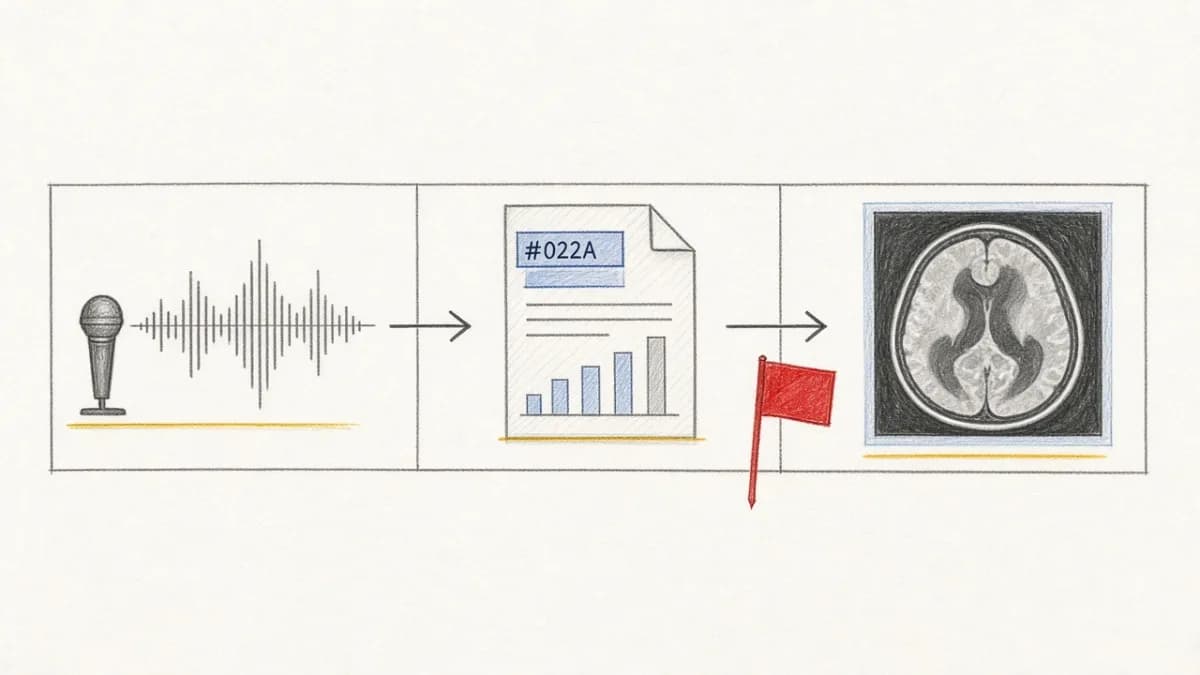
- MedDossier — dictation + lab PDF + scan → clinical intake (not a diagnostic device).
- LectureSync — slides + lecture video → retrieve-then-generate Q&A.
- AdRadar — ad creative → copy, fatigue arithmetic, visual copycats.
Industry-shaped versions of the same idea live on use cases: video intelligence, production RAG, audio transcription. The positioning essay is the unified multimodal backend agents build with.
Keep the Table, Delete the Stitch#
Do not rank for this query by listing ten iPaaS logos. Rank by saying what the workflow is. Declare the schema. Apply the file. Insert the media. Query the result. That is AI workflow automation when the work is multimodal.
- Pixeltable on GitHub:
pip install pixeltable - Get started
- How it works
- Pixeltable vs LangChain
- Pixeltable vs Airflow
- Pixeltable documentation