Summary: Databricks just shipped FILE type (beta): a generic blob pointer in the lakehouse, with Unity Catalog on the reference. That is storage and ACL for unstructured files. It is not multimodal. Once a video is stored as FILE, the engine does not know it is video—no fps, duration, audio track, or frames—only bytes you open in a UDF. If you want to do something with that video, you want typed media columns: pxt.Video, pxt.Image, pxt.Audio, pxt.Document, plus iterators, computed columns, and embedding indexes. That is Pixeltable. pip install pixeltable and the dashcam pipeline below runs locally.
What FILE Actually Is#
FILE is a column that holds a lightweight pointer at a file in object storage. Bytes load when a query asks. Row filters and ABAC can attach to the reference. Delete the row and Databricks says the object goes with it. Spark UDFs and functions like AI_QUERY can open the blob. Spark Declarative Pipelines can reprocess new files.
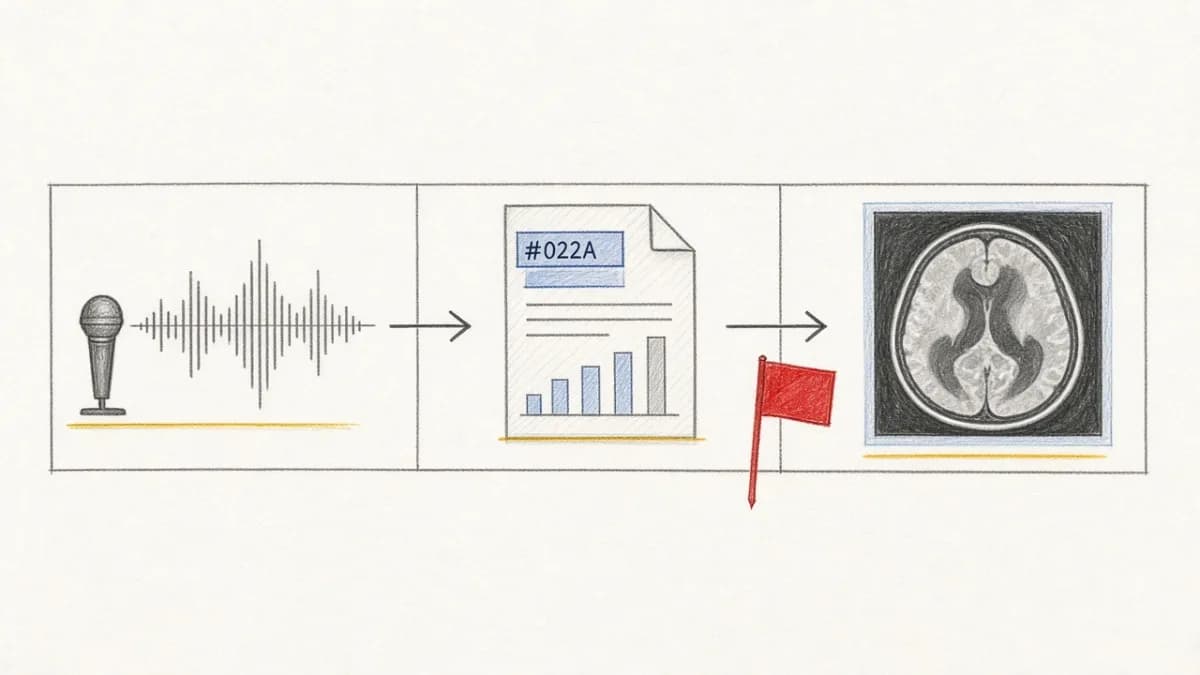
Useful if your problem is “this path string is ungoverned.” Useless as a video type. Databricks’ own dashcam demo makes the gap obvious: they ingest clips as FILE, then a UDF samples a frame into another FILE, then a detector writes hazard. The type never became video. It stayed file. Every multimodal step is an escape hatch you write yourself.
A Path String Is Not Media#
Storing a URL in a STRING column and hoping folder ACLs match table filters is a known failure. A row filter that hides a path does not hide the video. Delete the object and the table points at nothing.
Pixeltable does not stop at “put the path in a column.” A media column is a typed reference the catalog understands: validation, lazy byte access, generated media in a media store, optional cloud destinations. See storage architecture and S3 / Hugging Face destinations. The type is what unlocks compute—not the pointer.
What You Can Do With a Video#
What can you do with a video, once it is stored as FILE? Open it. Hand it to a UDF. Call an AI function. Write a sampler that emits another FILE. Same surface as a path string, plus a catalog ACL. There is no closed set of video operations in the type.
Pixeltable splits modalities so the engine can attach the right operators. pxt.Video is why frame_iterator(video=Dashcam.video, fps=1) is a first-class view, not a notebook. Insert a clip and frames, detections, transcripts, and embeddings stay consistent on new rows only.
| Capability | Generic FILE (beta) | Pixeltable |
|---|---|---|
| Native unstructured in tables | One untyped blob | Video / Image / Audio / Document |
| Pointers, lazy bytes | Yes | Yes—catalog paths/URLs; media store or object storage for bytes |
| Modality-aware iterators | You write a UDF | frame_iterator, video_splitter, document_splitter, audio_splitter |
| Incremental derived columns | Spark pipelines you operate | Computed columns and views; only new or changed rows recompute |
| Embedding / similarity on the table | Roadmap / lakehouse indexes | EmbeddingIndex + .similarity() today |
| Version without copying binaries | Roadmap | Table history and snapshots today |
Local pip install loop | No—workspace and cluster | Yes |
| Hand off curated tables | Already in the lakehouse | export_iceberg() when a warehouse needs labels, not blobs |
The FILE roadmap—clone without duplicating terabytes, add a derived column without rewriting binaries, indexes on the table, stream into PyTorch—is a list of things Pixeltable already does. You do not wait for a lakehouse type to grow a type system. You install Pixeltable and run the graph.
Same split as LTAP vs the multimodal write path and who owns the multimodal data plane: a warehouse is good at querying facts that already exist. AI apps need media → frames → models → indexes to stay consistent as new files arrive. That graph is Pixeltable.
The Dashcam Pipeline, in Pixeltable#
Same CEO question Databricks used: why did the car stop? You need video next to trip metadata, frames, and detections. FILE ingest looks like this—then you still write the UDF:
Pixeltable starts at the type the work actually needs. The clip is video. Frames and YOLOX are columns, not a weekend of Spark jobs:
New clips only run the iterator and detector on new rows. Add captions, Whisper, and embedding indexes the same way. Full walkthrough: video intelligence pipeline and YOLOX on video.
Catalog vs Lakehouse ACL#
FILE’s pitch is Unity Catalog on a blob. If your job is warehouse ABAC over an estate of tables, that is a lakehouse product. It does not extract frames, transcribe audio, or keep an embedding index consistent.
Pixeltable’s contract is the one AI app teams actually run:
- The catalog is the system of record for media references and every derived column.
- Generated media lands in the media store or a destination you set (
PIXELTABLE_INPUT_MEDIA_DEST/PIXELTABLE_OUTPUT_MEDIA_DEST). - Table history and snapshots version the dataset without copying every binary for every experiment.
- Delete a row and it is gone from the Pixeltable catalog. Object-store retention and legal hold are still your cloud account’s job—same as any system that points at S3.
Build the pipeline in Pixeltable. If a BI team later wants labels and scores in a warehouse, export Iceberg. Do not start from a generic FILE and hope UDFs become a type system.
When to Use Pixeltable#
- Use Pixeltable to build search, VideoRAG, agents, inspection, or training-set curation: typed media, iterators, incremental model columns, embedding indexes, local Python loop.
- If you already have a lakehouse, keep it for SQL/BI. Export curated tabular columns from Pixeltable. Do not wait for a
FILEcolumn to growframe_iterator.
You do not need a Spark workspace to work with video. You need a video type. That is the same developer-first split as our open source alternative for AI developers.
FAQ#
Is FILE the same as pxt.Video?#
No. FILE is a generic blob. pxt.Video (and Image/Audio/Document) are modality-specific types, which is why frame_iterator(video=...) exists as an operator instead of a one-off UDF. For the category, see what a multimodal data table is.
Do I need Databricks to do multimodal?#
No. Pixeltable is the pipeline: insert media, derive frames/transcripts/embeddings, query. A lakehouse is optional downstream for SQL over curated columns.
Can files stay in S3?#
Yes. Pixeltable media columns accept local paths, s3://, and HTTPS URLs. Optional destinations copy generated media to your bucket. The catalog stores references, not gigabytes of video in a row store.
What about the FILE roadmap (PyTorch, table indexes, cheap clones)?#
Those are the right next steps for a blob column. Pixeltable already versions tables, adds computed columns without rewriting source binaries, and keeps embedding indexes on the catalog. Use it in the app loop today.
Get Started#
- Install:
pip install pixeltable· docs.pixeltable.com - Tutorial: Video intelligence pipeline
- Optional warehouse handoff: Export to Iceberg